Evidence That Stays Current Between Reviews.
Keep evidence organized with source, timestamps, owners, and freshness, so you always know what's valid and what needs updating.
No obligation. Bring a questionnaire or framework. We'll show the exact workflow end-to-end.
What the Evidence Library Looks Like
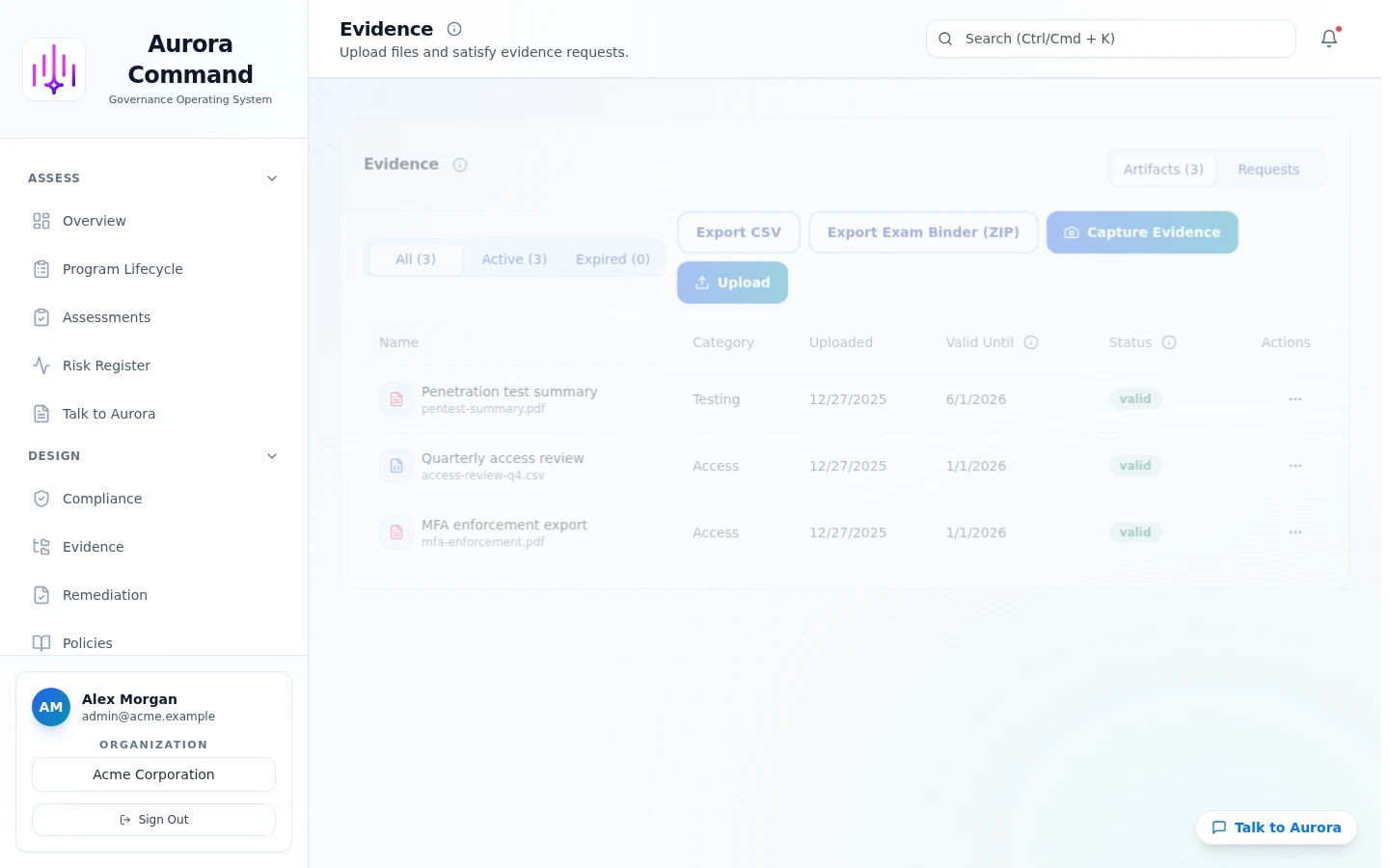
Real product UI
Source details and timestamps
Freshness and cadence
Coverage and mapping
How Evidence works
01
Set ownership and scope
Assign owners, confirm scope, and keep assumptions explicit.
02
Run the workflow
Capture, review, and maintain evidence over time.
03
Link outputs
Link evidence to controls and requirements for traceability.
04
Keep it current
Track freshness, reminders, and change history.
05
Share
Share what's needed through a controlled reviewer view.
Key capabilities
Evidence library
Source, capture date, owner, and notes in one place.
Freshness tracking
Reminders and cadence so evidence does not quietly expire.
Coverage views
See which controls have evidence and where the gaps are.
Snapshots
Point-in-time records for defined review windows (where enabled).
Evidence index
Reviewer-friendly indexes when requested.
Artifacts reviewers recognize, plus sample previews of structure.
Best Fit: Continuous Plan
Best for automated evidence capture and scheduled checks between review windows.
- Security Ops: Add readiness modules and monitored risk signals.
- Command: Add on-prem collectors and unexpected-change evidence where needed.
Need help choosing?
Use the plan matrix to self-qualify, then confirm fit in a demo if your workflow is regulated or time-bound.
Connect Tools to Keep Evidence Current
Related modules
Evidence questions
Want to see Evidence in your workflow?
Bring a questionnaire or framework. We'll show the exact steps in Aurora.
No obligation. We respond within one business day. No compliance guarantees.